How to add a contract for an assignment type?
To add a contract for an assignment type:
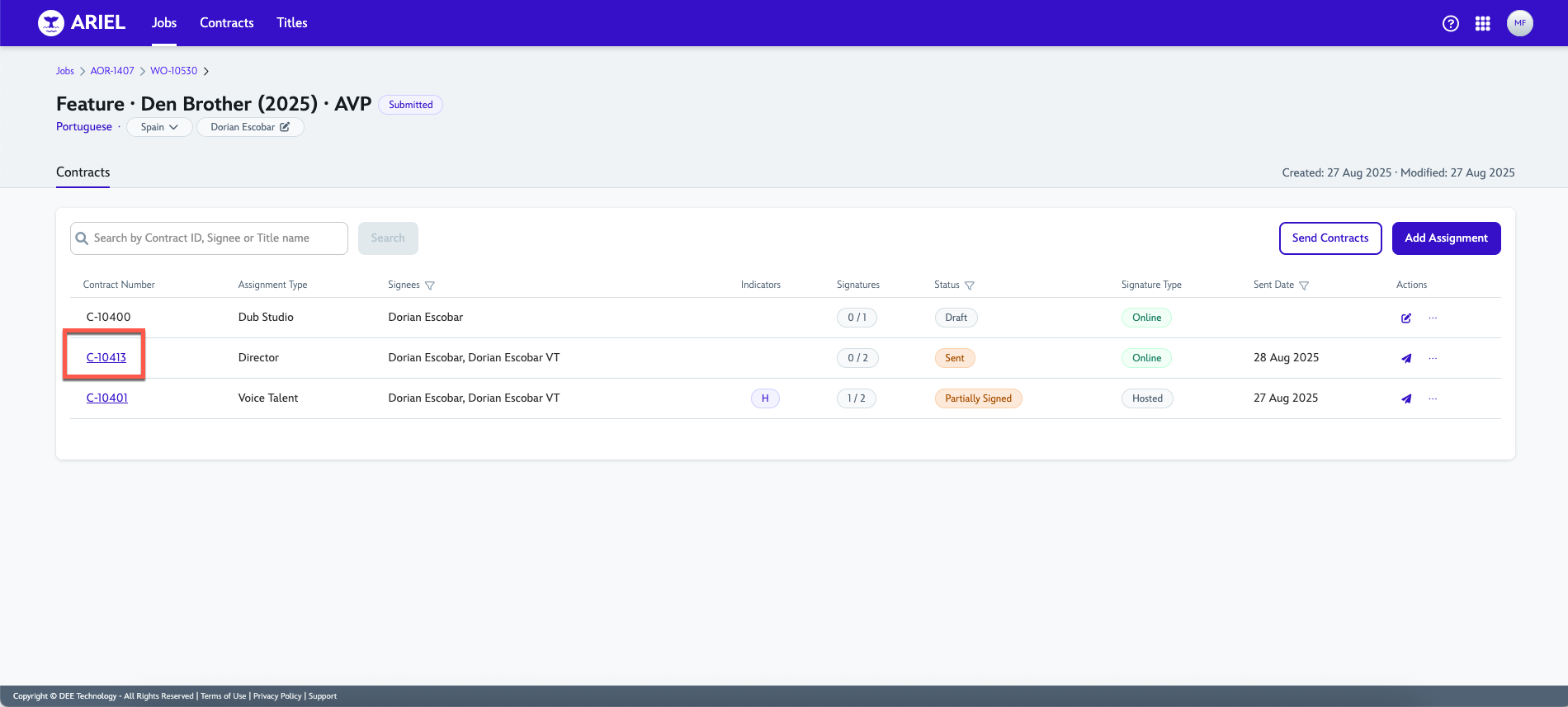
In the Contracts page of a work order, click Add Assignment.
Select options in Assignment Type field.
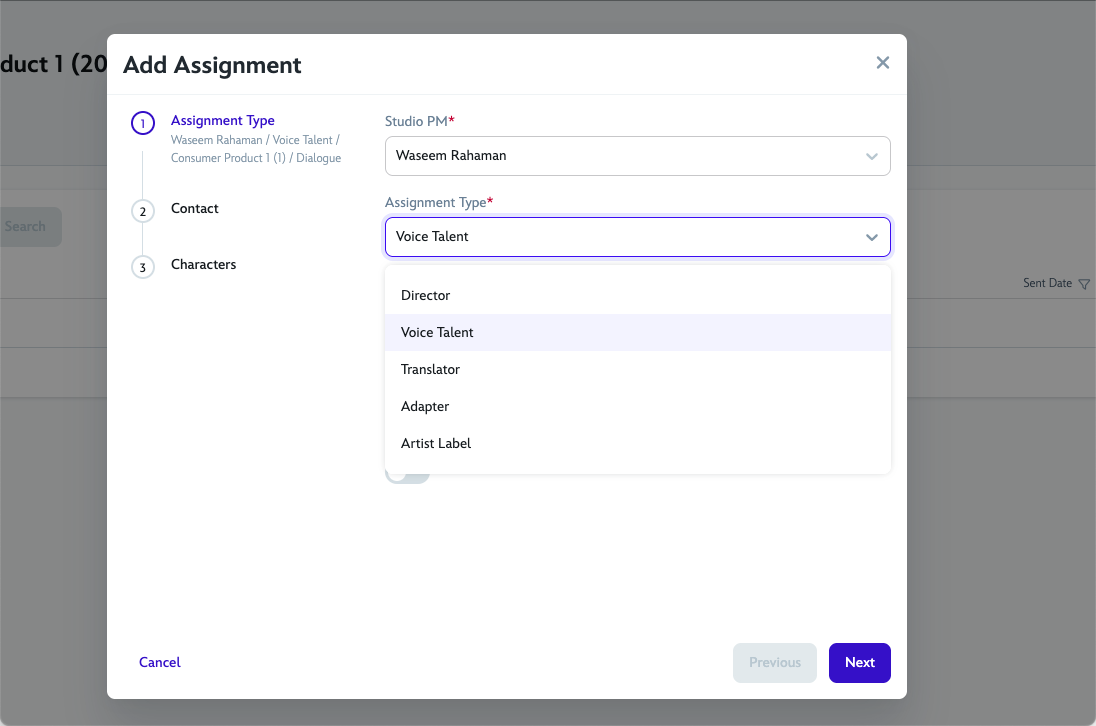
Select one of the options in Services field.
Click Next.
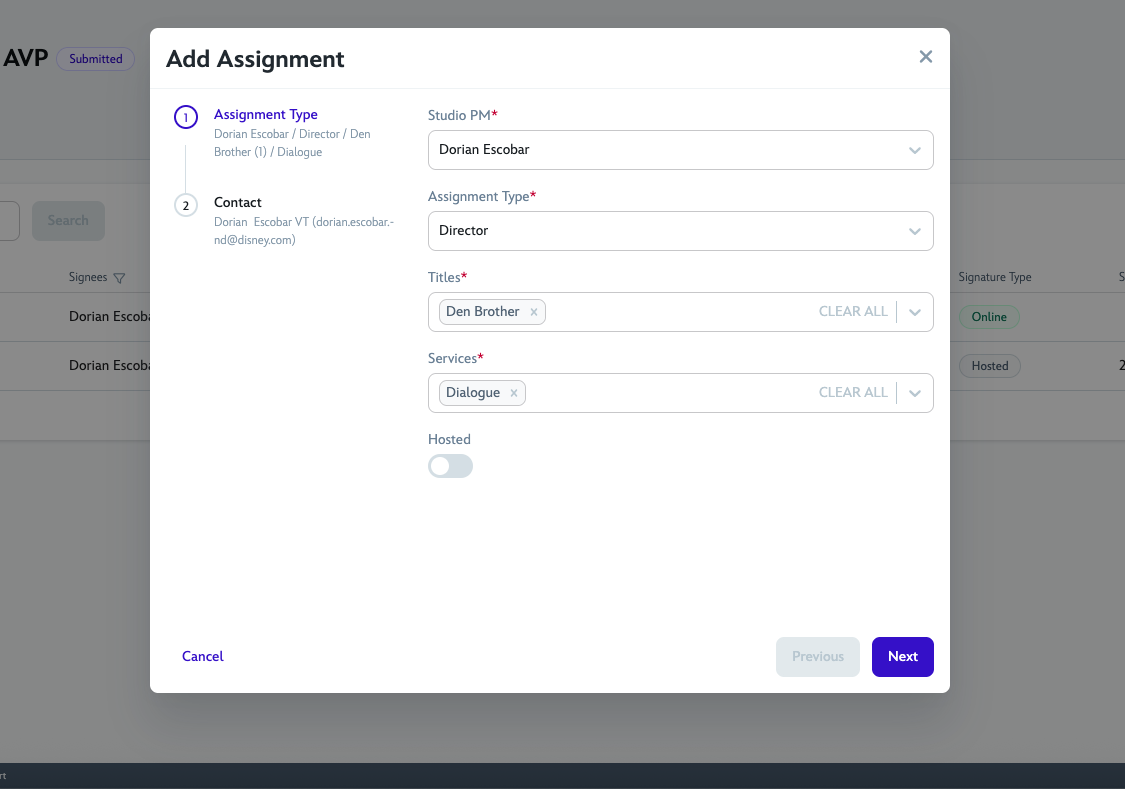
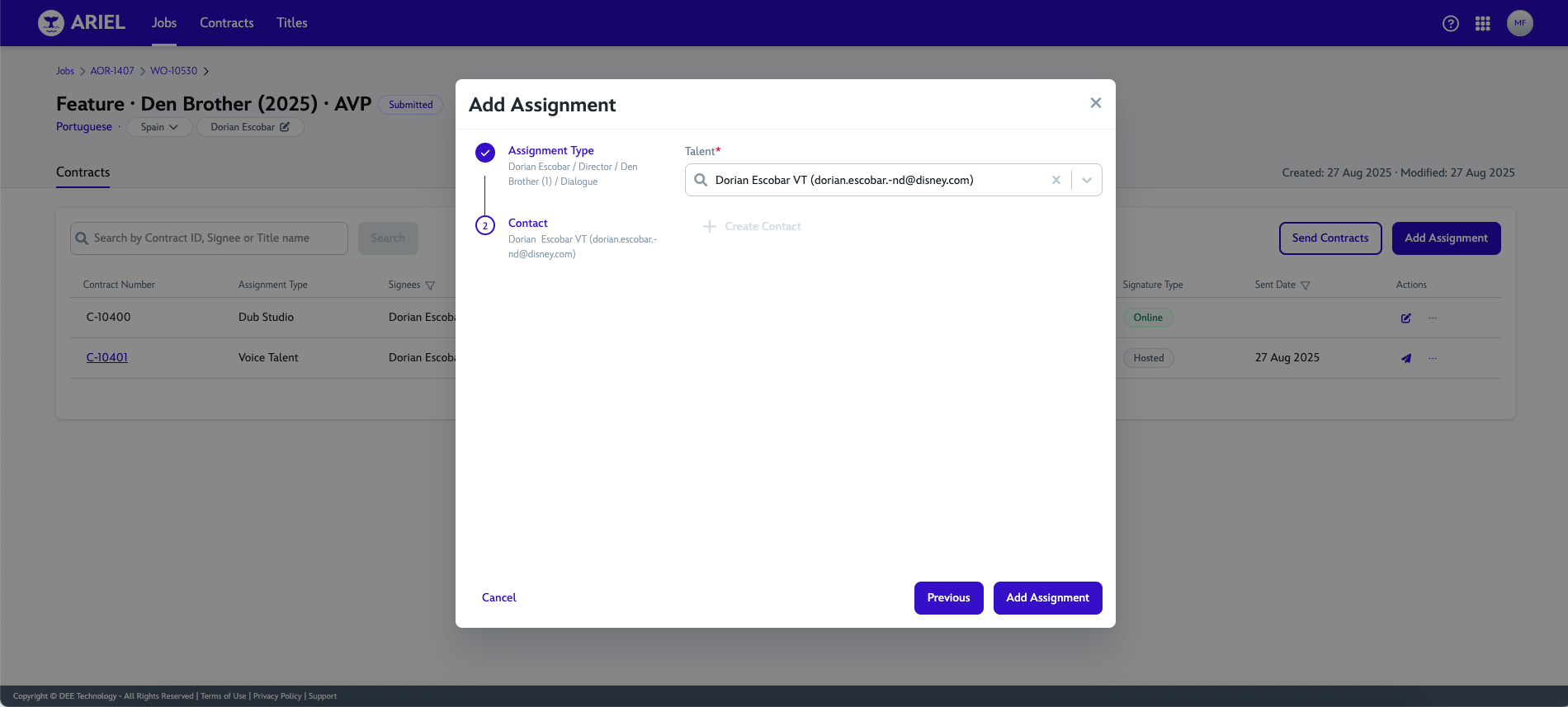
Search talent's email in the Talent field.
If not found, add the talent's email by clicking Add Contact and Save.
Click Add Assignment.
A new Contract number will be created and will default with Draft status.
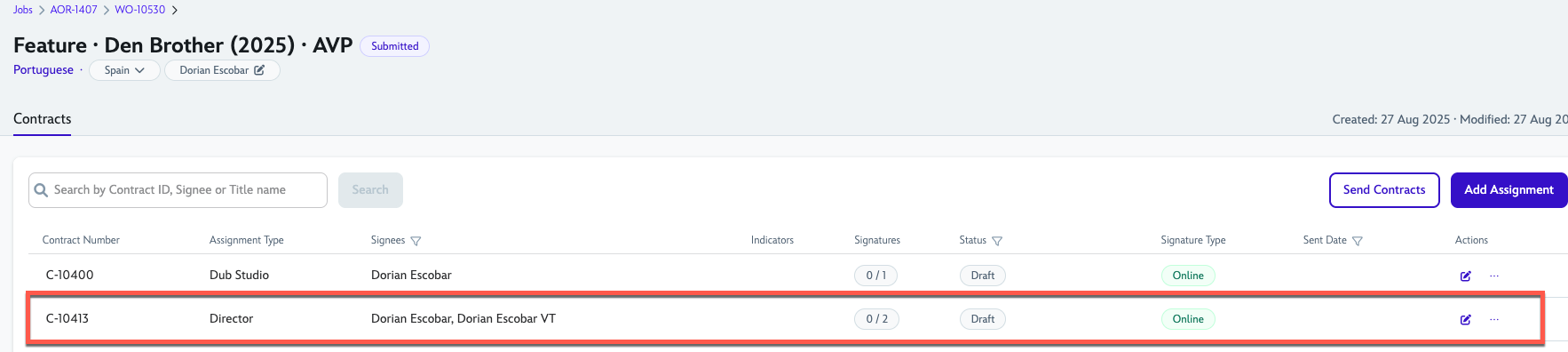
Once you Send the contract, the contract number will create a link for the actual contract document.
15 September 2025