How to find and view a contract?
To find and view a contract:
From the Jobs Tab, search for the Title in the Search field.
Select the Job Number link next to the Title Name.
Select the Order Number link.
Search for the Contract in the Search Bar
Search is available by Contract ID, Signee, or Title Name
The filtered results will display based on the search
Click on the Contract ID link.
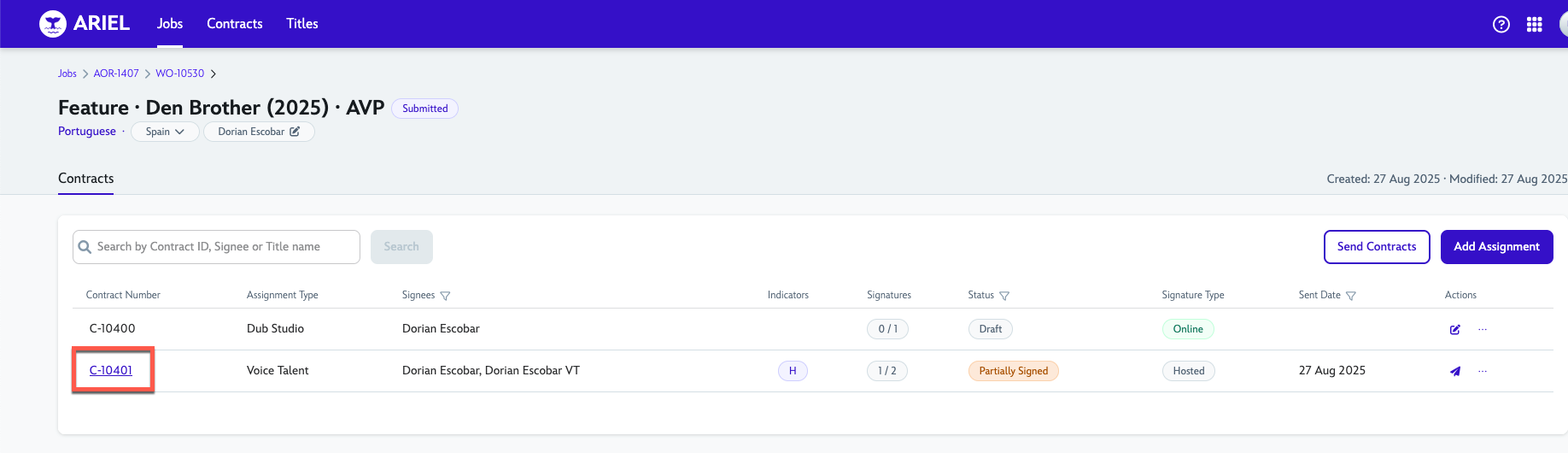
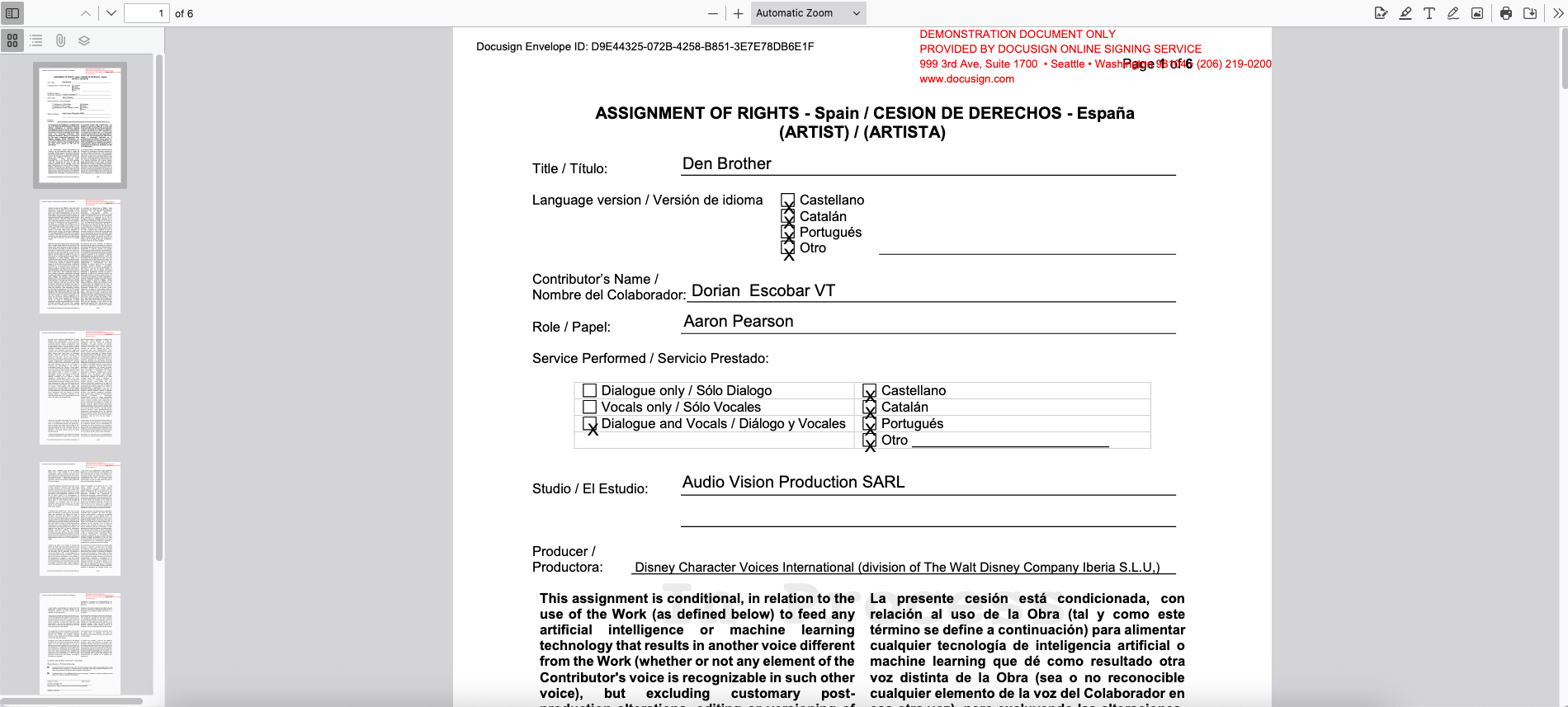
A new tab will open where you will be able to view the contract.
15 September 2025