How to view contract status?
To view the status of a contract:
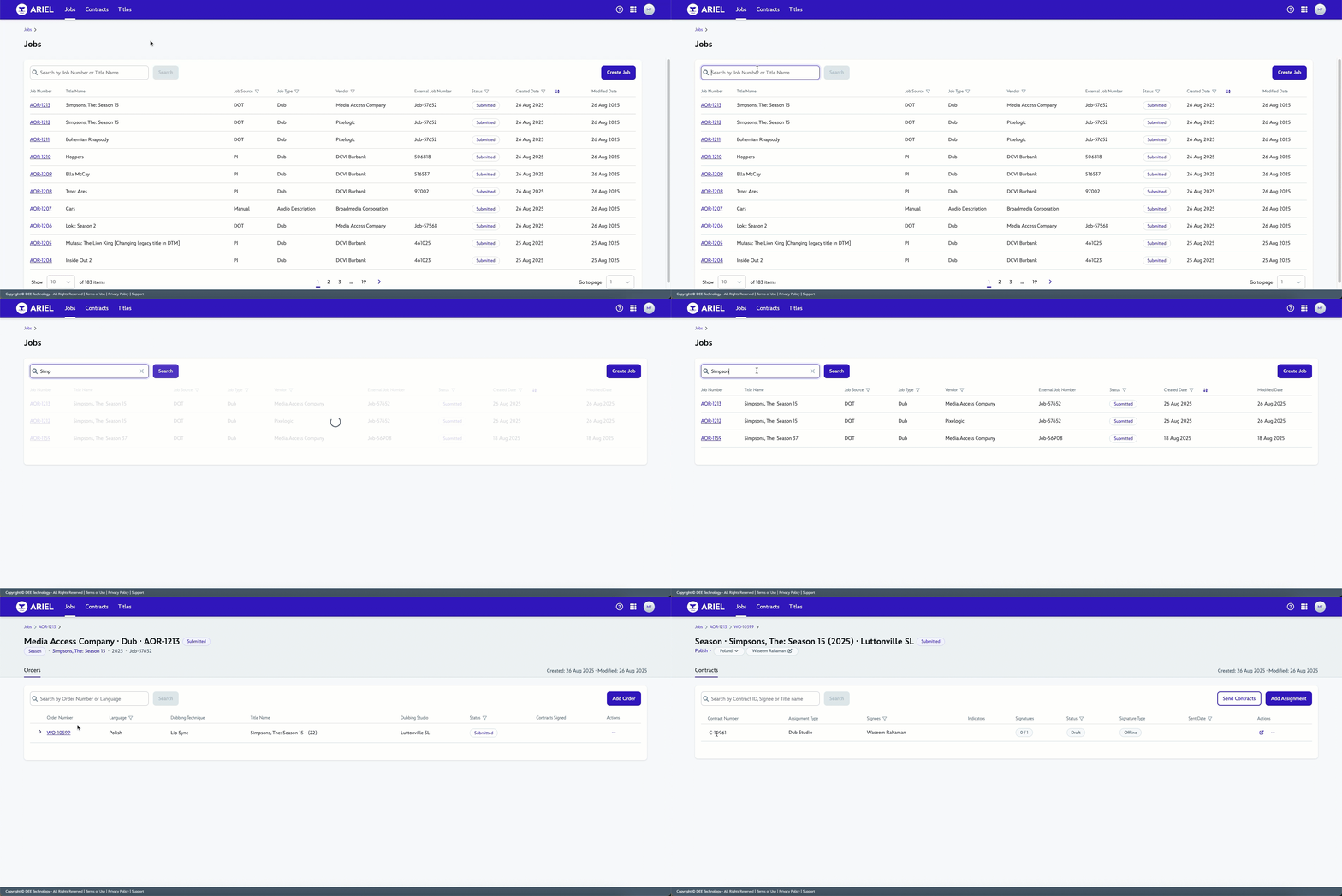
From the Jobs Tab, search for the Title in the Search field.
Select the Job Number link next to the Title Name.
Select the Order Number link.
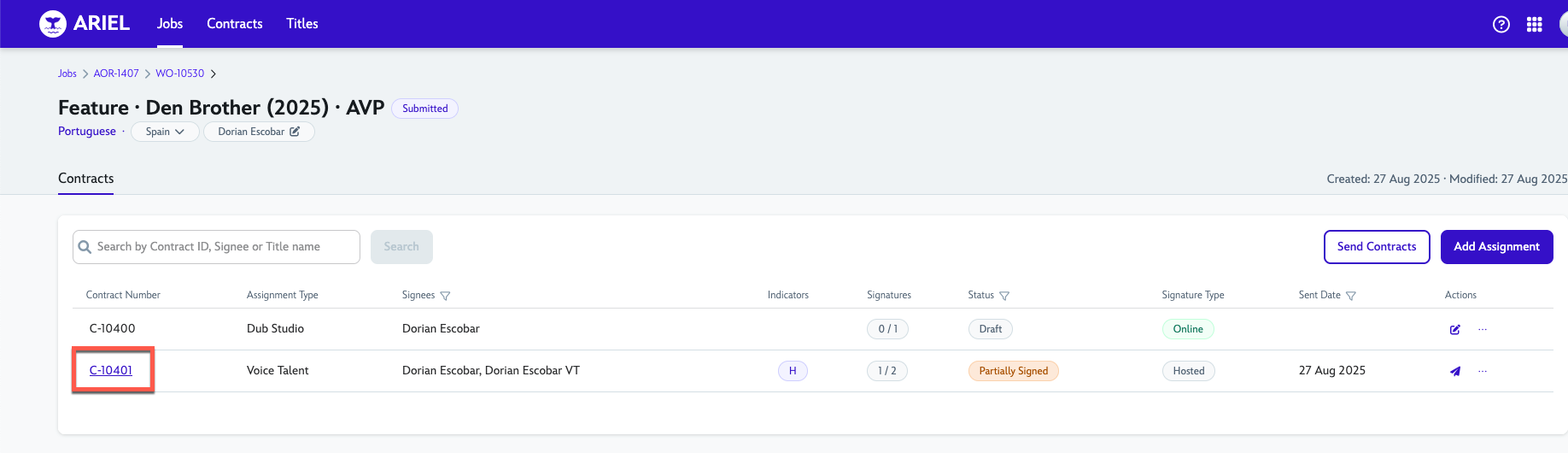
Contract row will display the following columns
Status column will be displayed.
You can also view the status in the Contracts tab by searching with Contract ID, Signee or Title Name.
15 September 2025